Tell us about your project.
Tell us what you need. We’ll consider a custom build, or tailoring one of our tools to fit you.
ContactWork 1 of 7
One place to run the work behind a business.
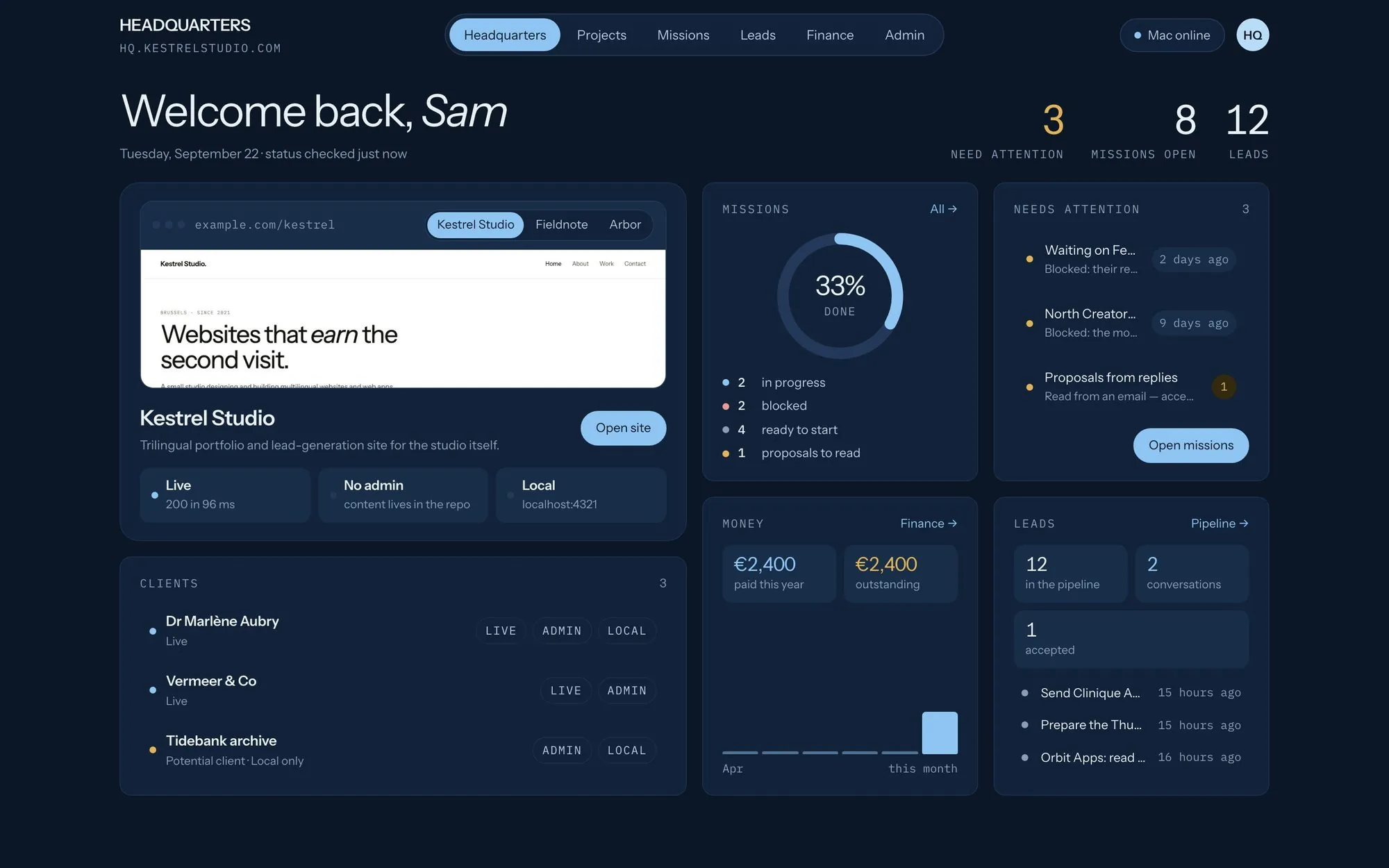
A lead becomes a conversation, then a client, a project and eventually an invoice. Headquarters connects those steps in one operational workspace, with a clear dashboard and an assistant that helps without taking control.
The daily view
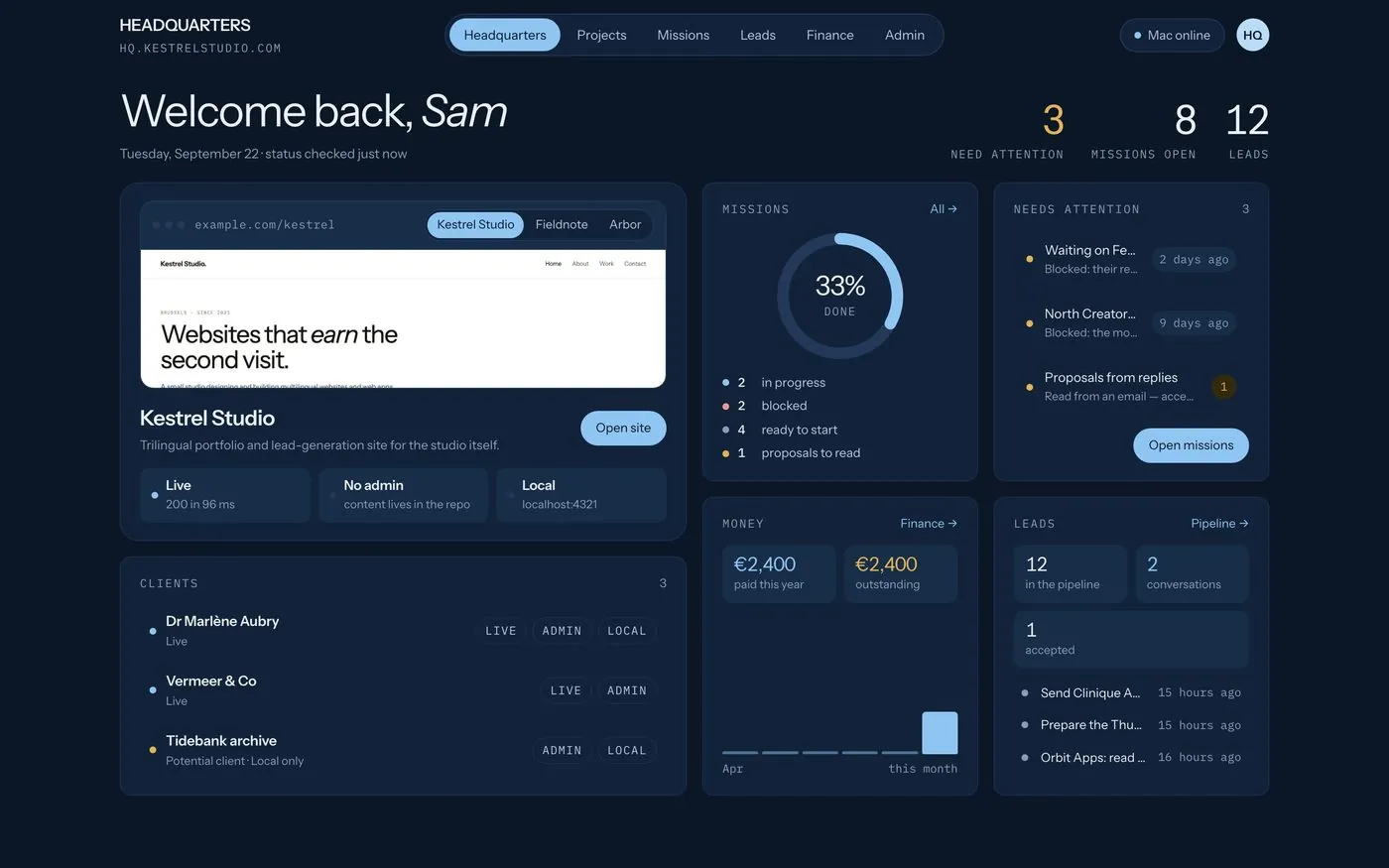
A single-screen desktop home brings together the items that actually need attention: replies, due missions, platform status and financial position. The challenge was not adding more information, but choosing what deserved to be visible first.
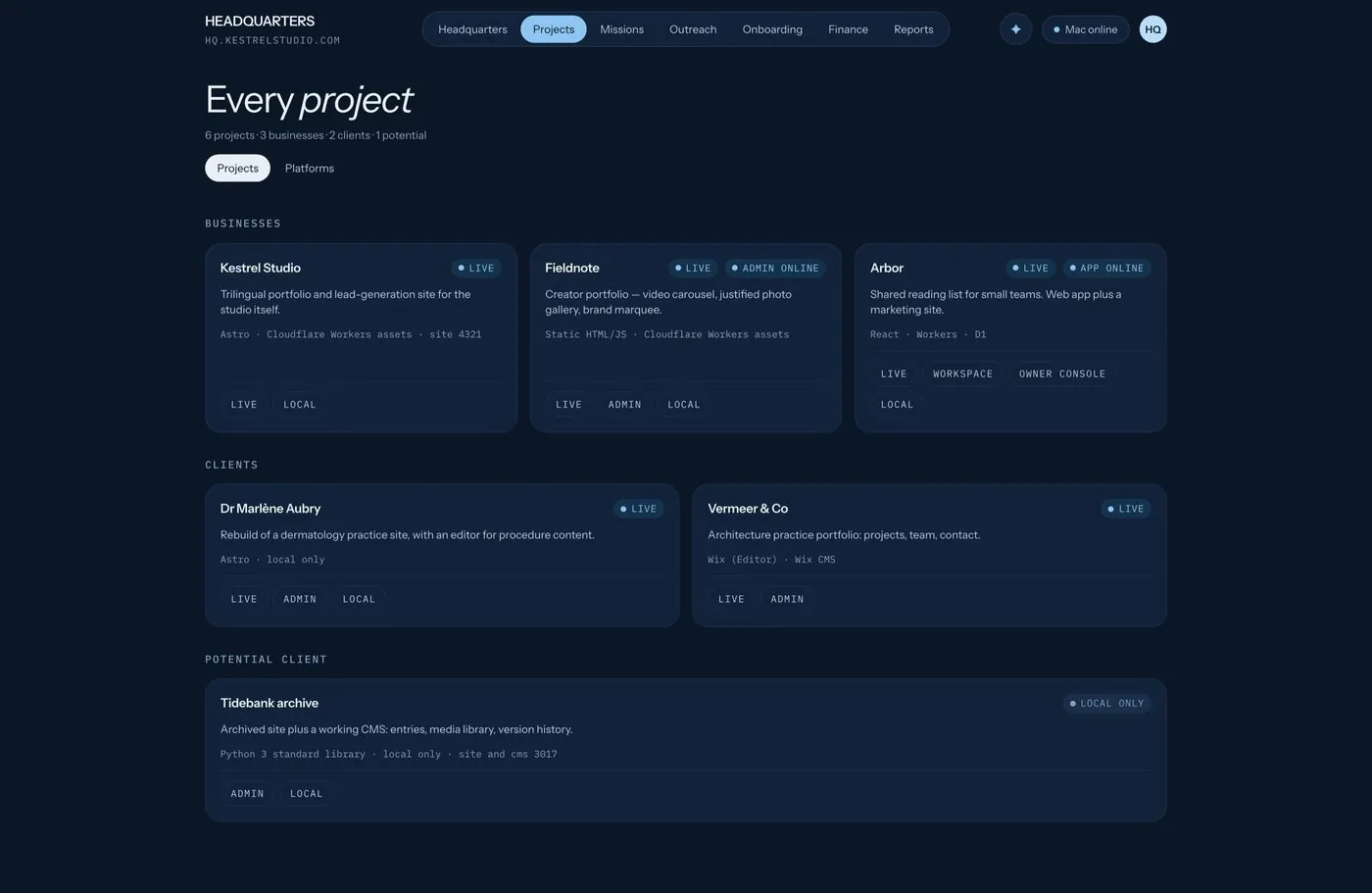
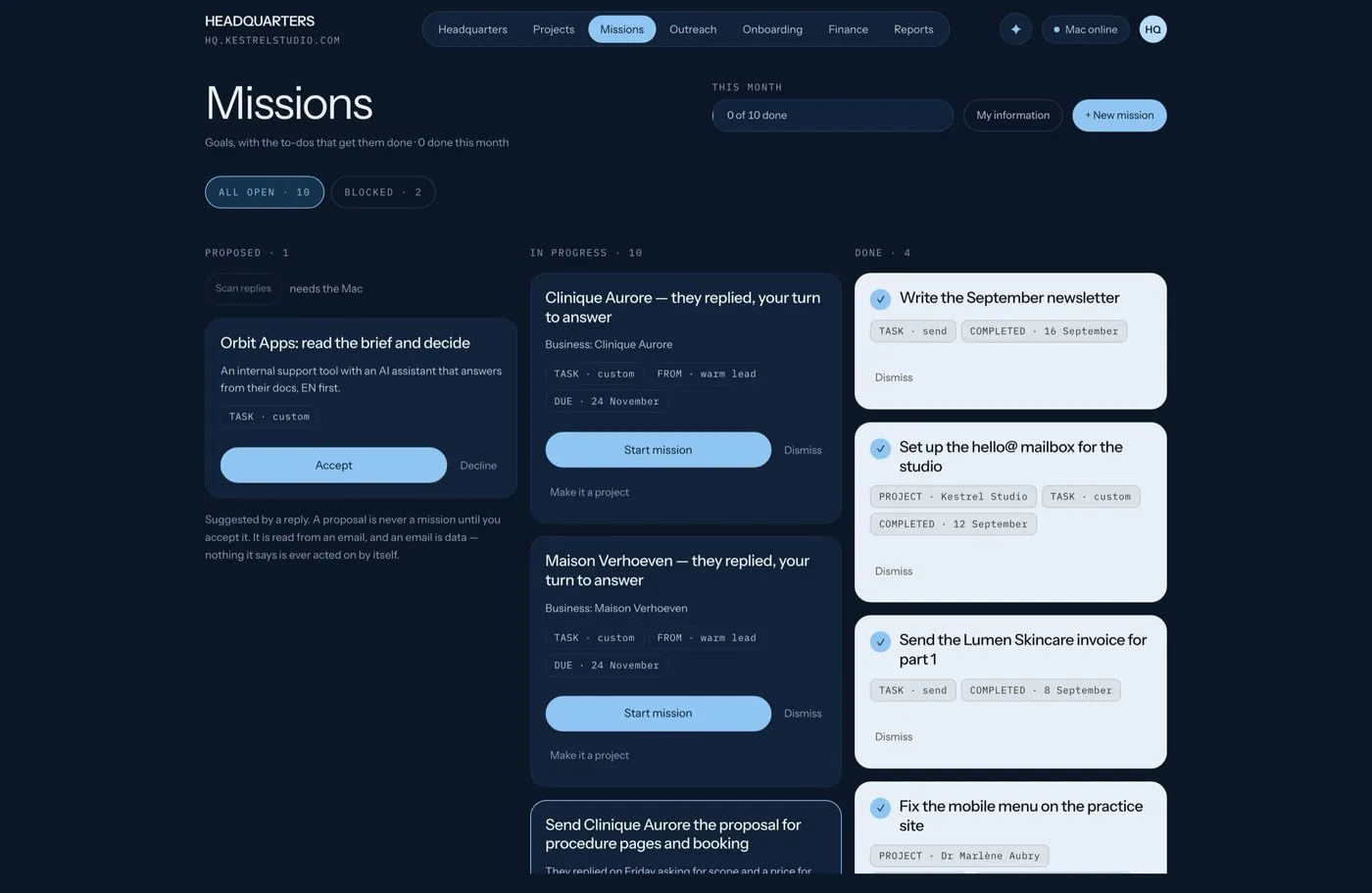
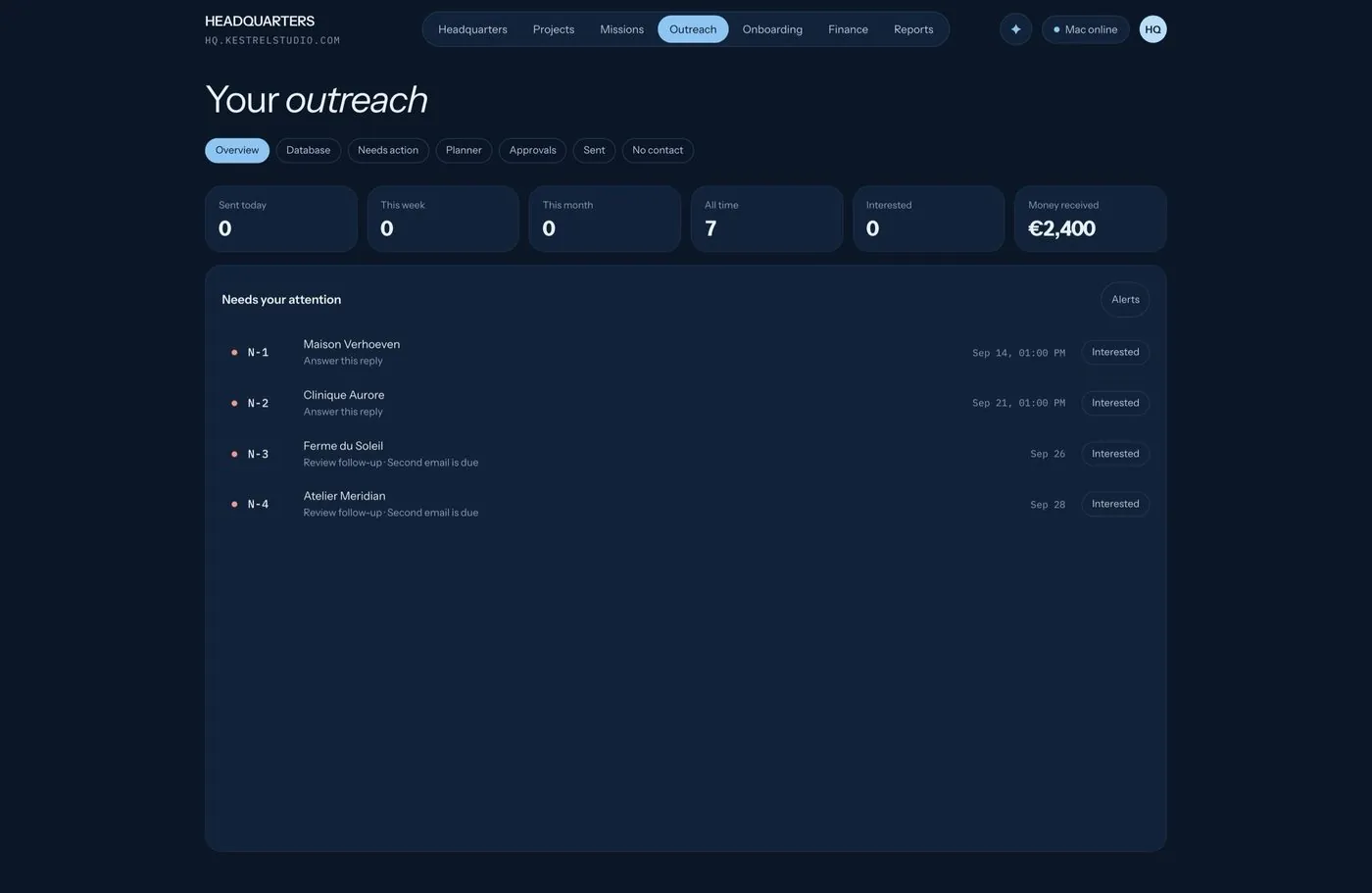
Headquarters, Projects, Missions, Outreach, Onboarding, Finance and Reports in one connected workspace.
The lifecycle
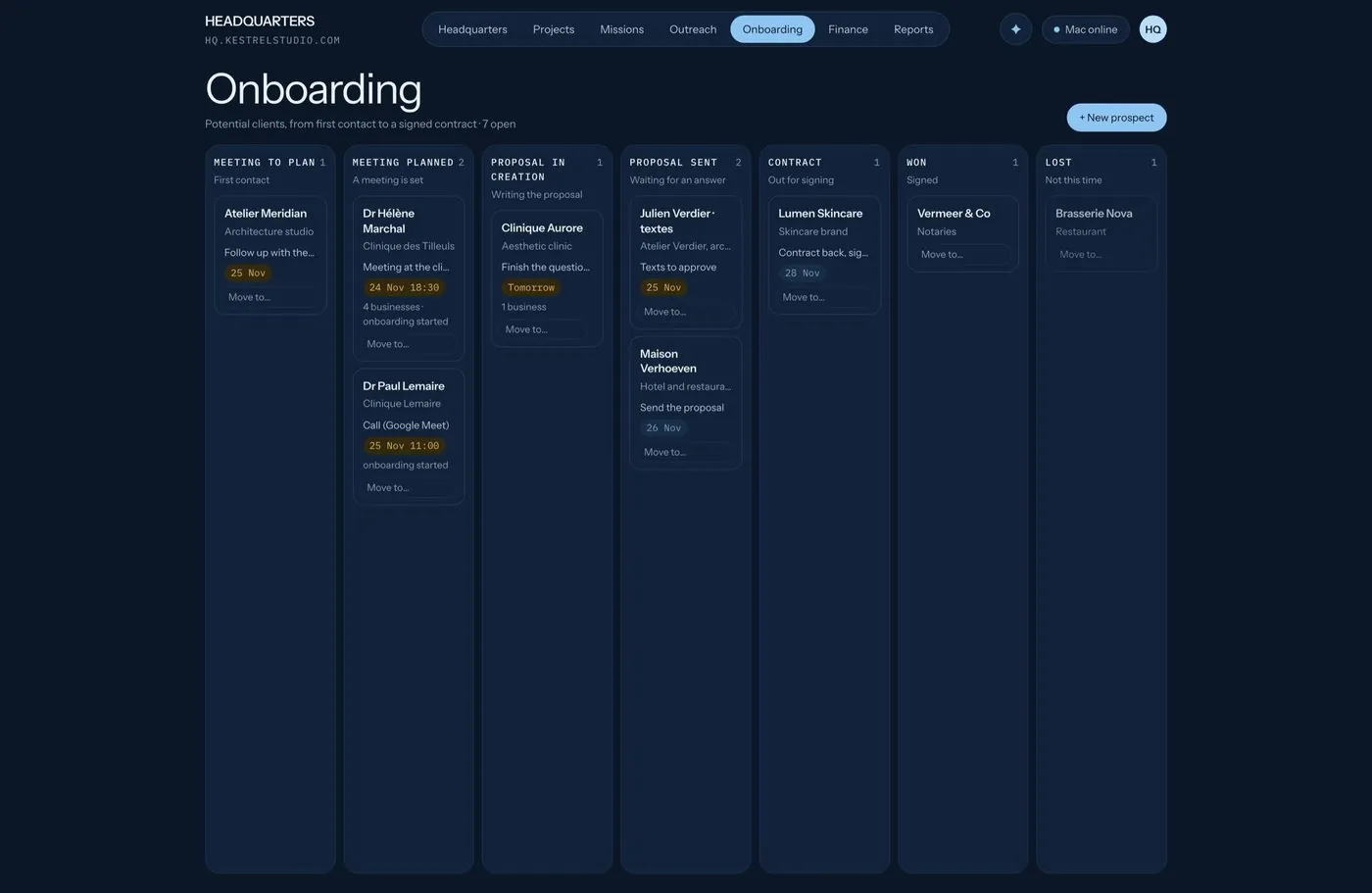
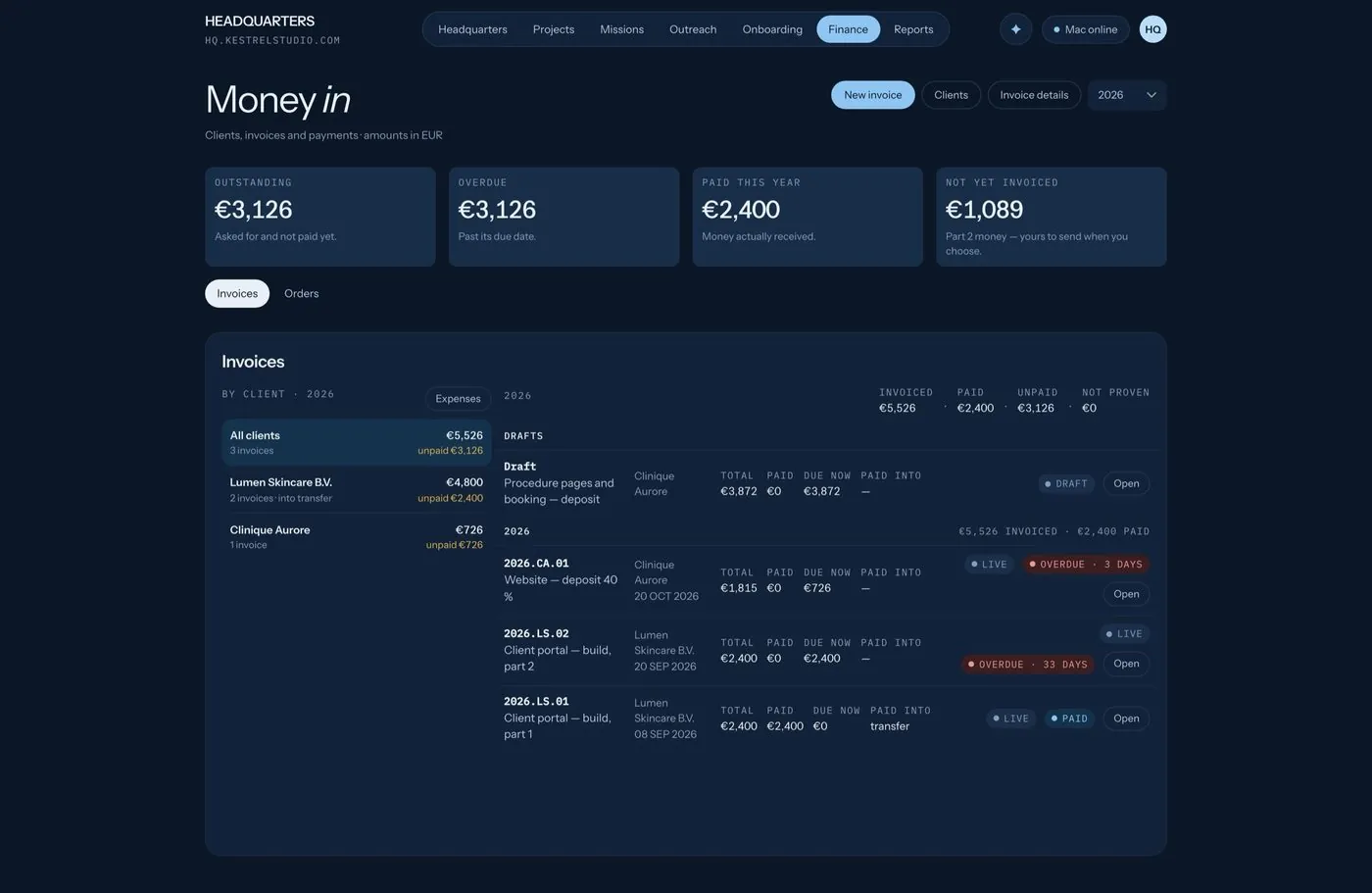
Prospects move through qualification and outreach into a tracked sales pipeline. Once a project begins, the same workspace connects onboarding, delivery missions and invoicing. Each transition preserves context, so the next action is clear without reconstructing a story from emails and spreadsheets.
Outreach, onboarding and invoicing: one record carries a client from the first reply to the last invoice.
Practice or studio researched and scored
PipelineWritten in EN, FR or NL for human review
DraftAnswer lands in Today and starts onboarding
InterestedHow much did I make this month?
This month: €8,450, all invoiced.
2026
November 2026
Not yet invoicedInvoiced
Invoice
INV-2026-041
Total
Fromhello@realisstudio.com
ToCabinet Exemple
SubjectInvoice INV-2026-041
Hello, please find your invoice for November attached. Thank you!
INV-2026-041.pdf
Send
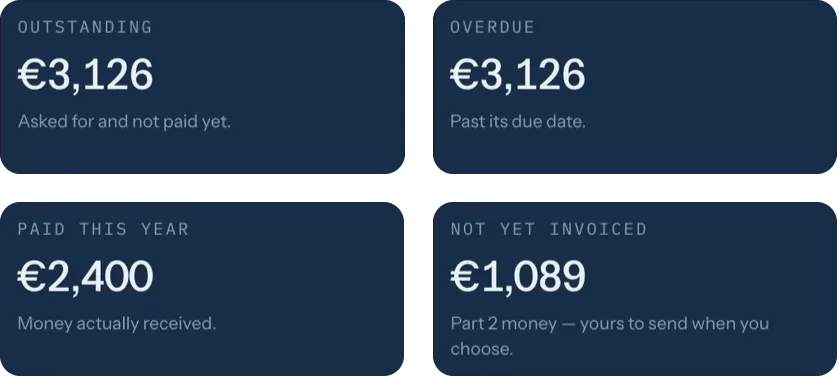
All your finances and documents in one place.
Headquarters · Realis Studio
Finances & invoices
Behind the scenes
Easier than ever, with an assistant built in.
Applied AI, human control
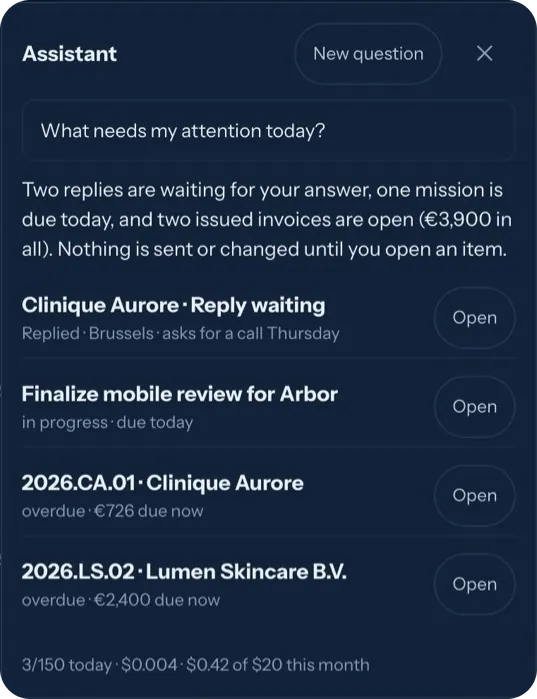
The assistant can answer questions about leads, replies, missions and invoices and open the relevant records. Its available tools are deliberately restricted: it can read and propose, not independently send mail or perform sensitive financial actions. External intake follows separate scoped permissions and approval checks.
The assistant reads and proposes. A reply can suggest a mission, but only Accept makes it one.
Assistant
Connect your
favourite assistant.
Scoped read & propose tools
Under the hood
A Cloudflare Worker, D1 SQLite and framework-free JavaScript keep the interface direct. A local helper holds the AI credentials, while an isolated fictional-data demo supports testing without exposing business records. Automated functional, visual and accessibility checks protect the workflow as it grows.
Design
Design for all of your screens.
Mobile
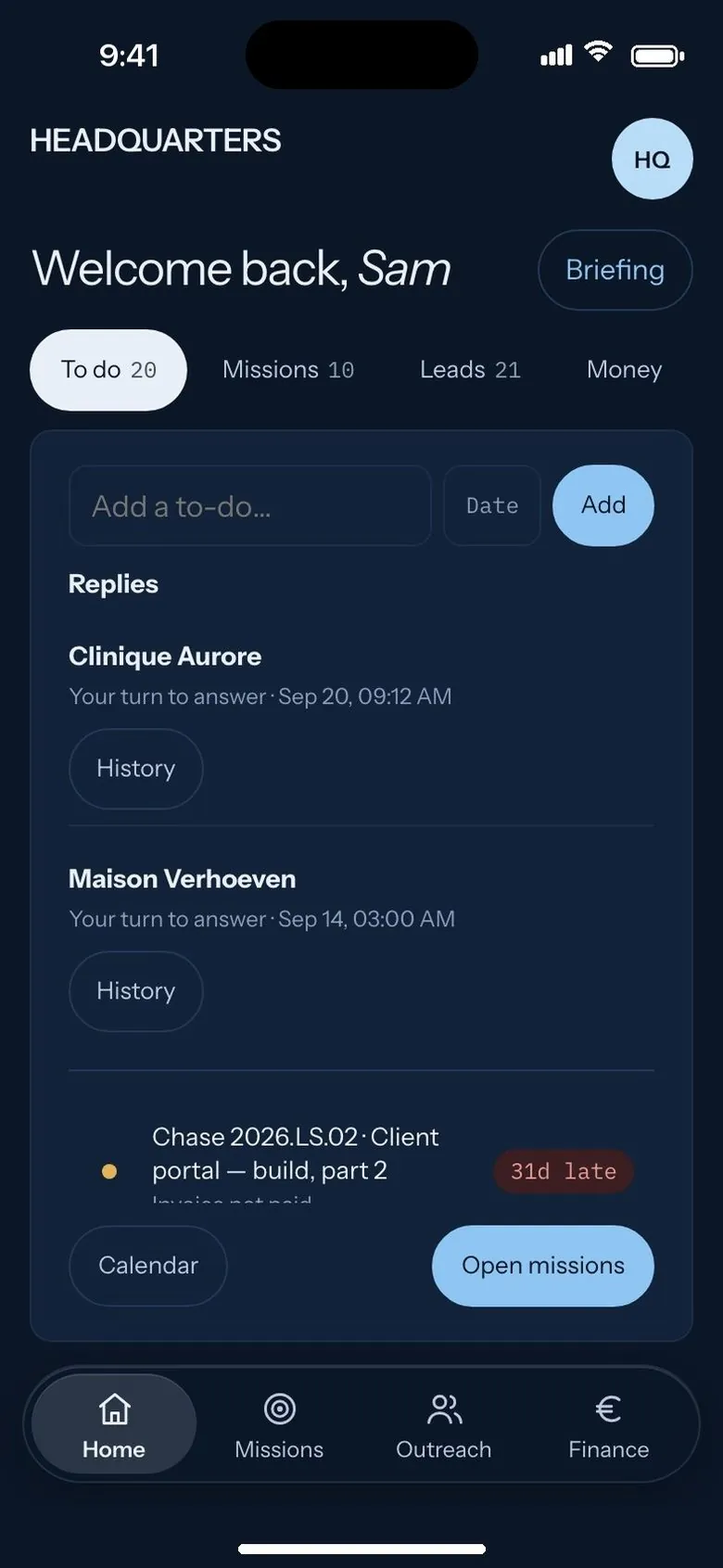
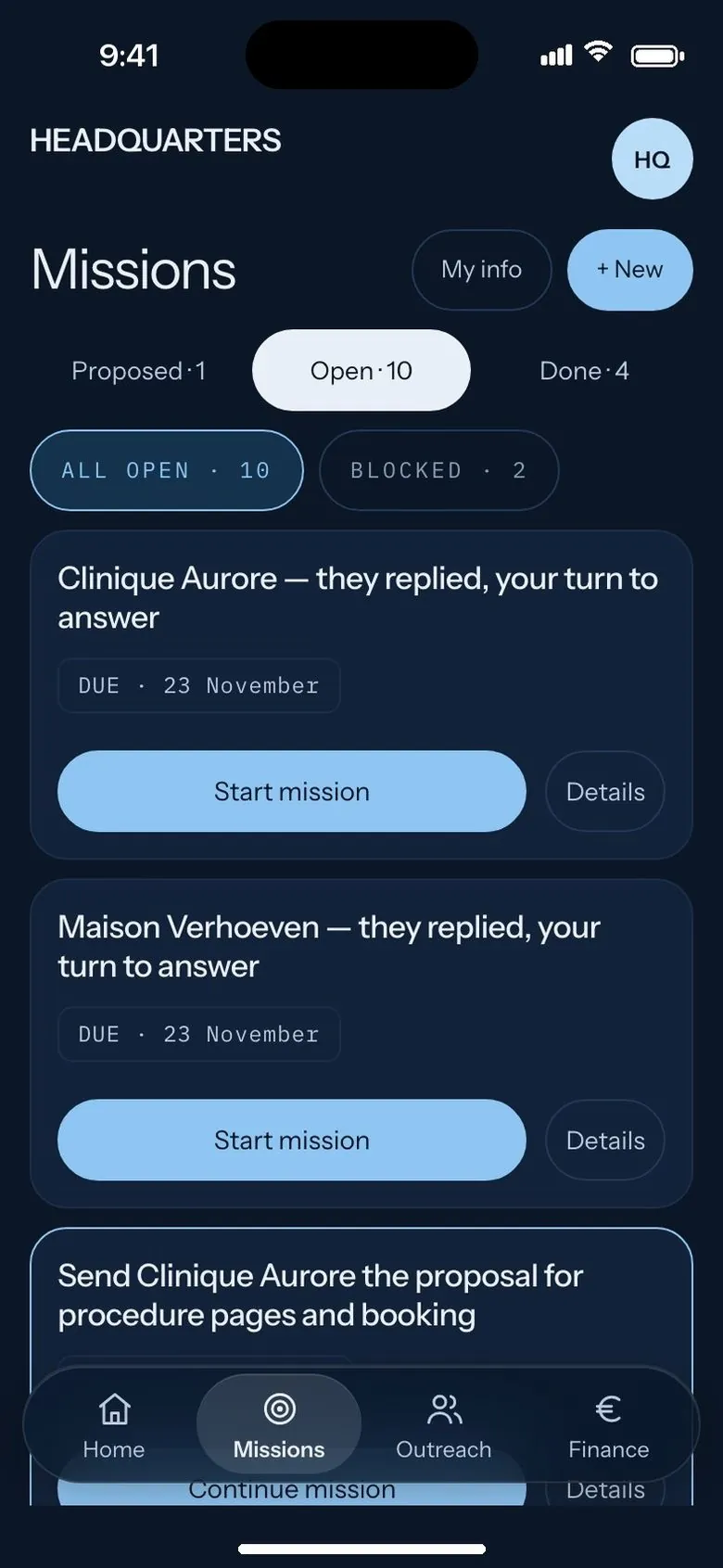
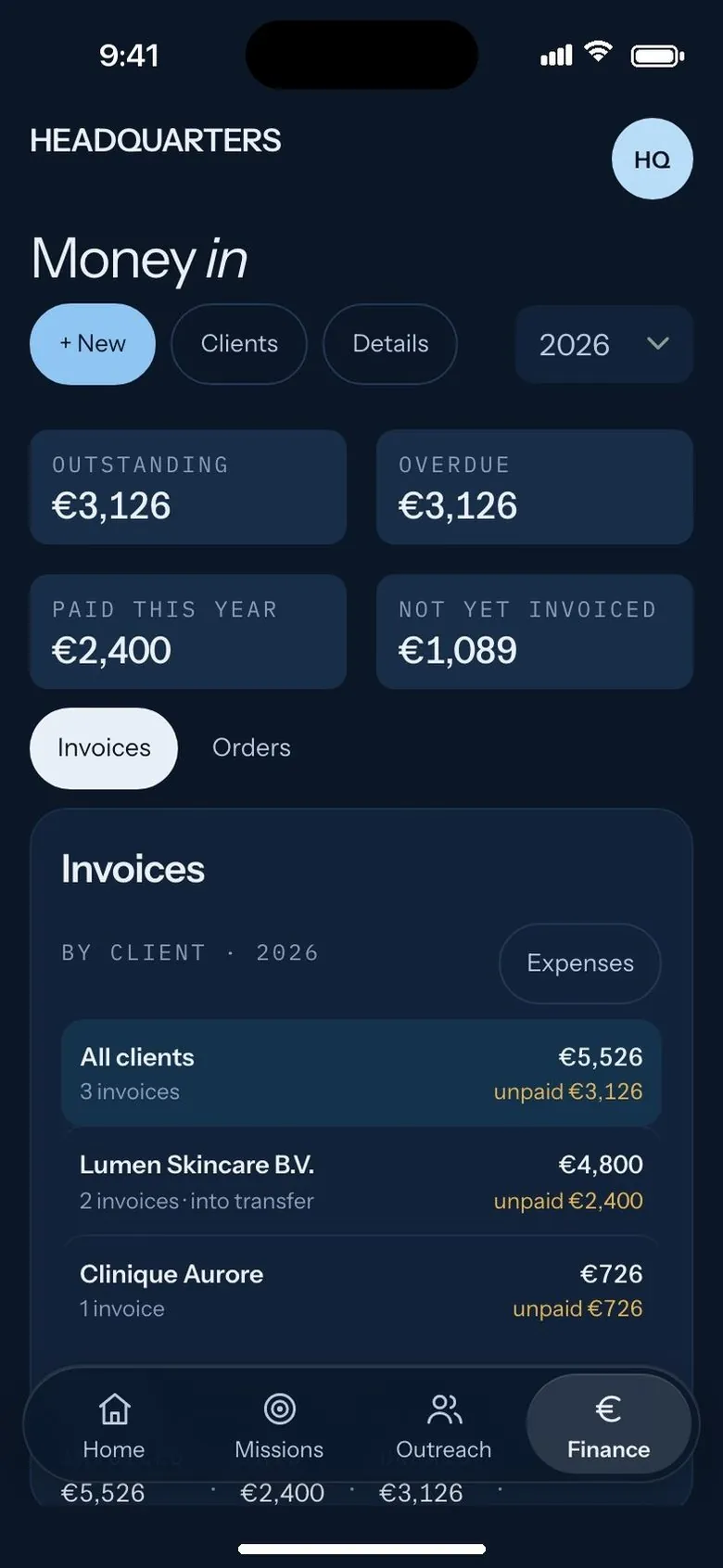
Replies waiting for an answer, due missions and open invoices stay one tap away on a phone. The mobile view strips back the workspace to the decisions that cannot wait.
Design system
Instrument Sans for the reading, IBM Plex Mono for the labels, on a deep marine ground. The fonts and the colours are read from Headquarters’ own stylesheet.
| Style | Family | Weight | Size | Line |
|---|---|---|---|---|
| H1 | Instrument Sans | Regular | 44 px | 1.10 |
| H2 | Instrument Sans | Medium | 22 px | 1.25 |
| Text | Instrument Sans | Regular | 15 px | 1.50 |
| Label | IBM Plex Mono | Regular · caps | 11 px | 1.00 |
The result
A connected operational view, from the first lead to the financial follow-through.
Headquarters · Dashboard, 2026
More work
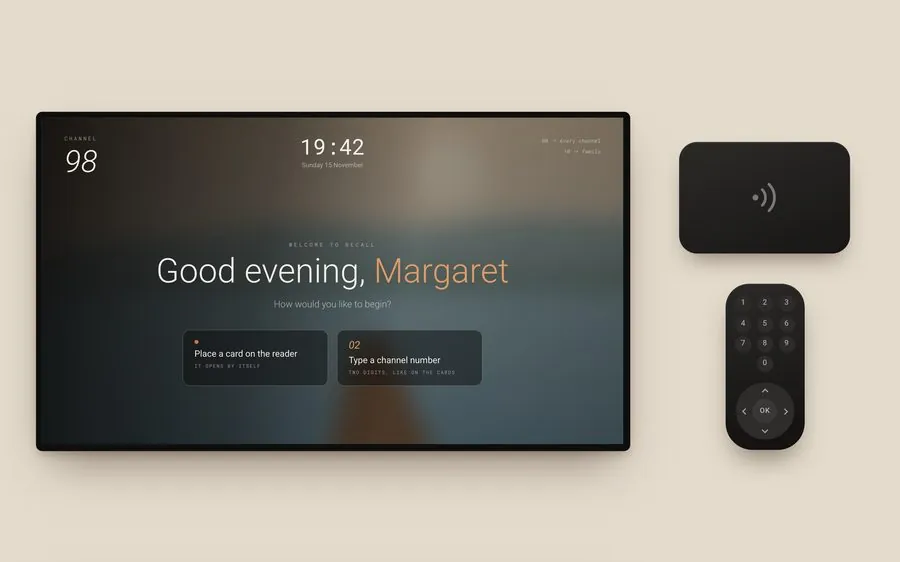
Recall – A calm, accessible home experience supported by a secure family workspace.
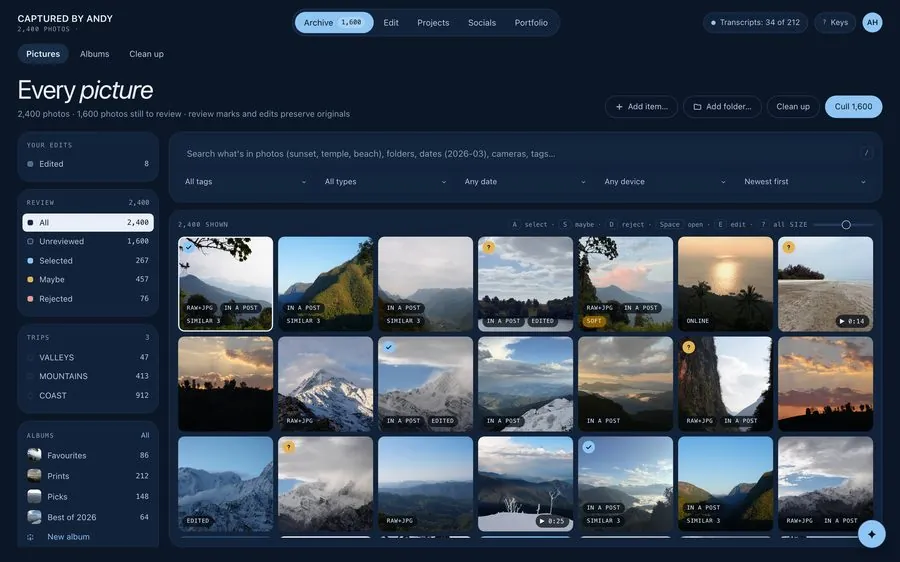
Captured by Andy – One workspace for moving from a large archive to work ready to share.
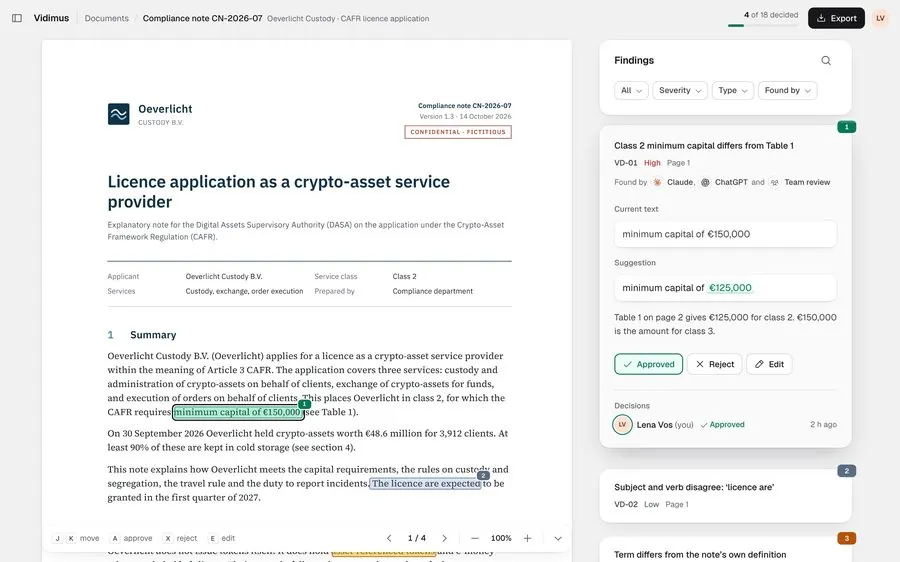
Vidimus – A clearer review process: source evidence, proposed correction and human judgment together.

Tell us what you need. We’ll consider a custom build, or tailoring one of our tools to fit you.
Contact